
Organization Chart
The Organization Chart provides a visual representation of your company's reporting structure. Use the chart to view reporting relationships and navigate through your organization's hierarchy.
Access the Organization Chart
- Sign in to Trakstar Perform.
- Select the dropdown arrow next to Reports in the left navigation menu.
- Select Organization Chart.

Navigate the Organization Chart
When you open the report, the chart begins at the top of your organization's reporting structure, typically displaying your highest-level leader, such as the CEO or President.
To explore the reporting hierarchy:
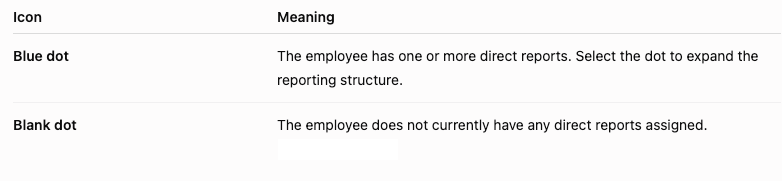
- Select the blue dot next to a person's name to expand and display their direct reports.
- Continue selecting blue dots to navigate through each level of the organization.
- Repeat this process to move deeper into the reporting structure as needed.
Understand the Icons
The Organization Chart uses dots to indicate whether an employee has direct reports.
If you have any questions about this chart or anything else, please reach out to us at perform@trakstar.com. We're here and happy to assist!