
Engagement Surveys: Employee Net Promoter Score (eNPS)
Engagement surveys are an effective way to measure employee sentiment, prioritize organizational initiatives, and support employee retention efforts. Regularly collecting employee feedback helps organizations understand workplace satisfaction, identify opportunities for improvement, and monitor engagement trends over time.
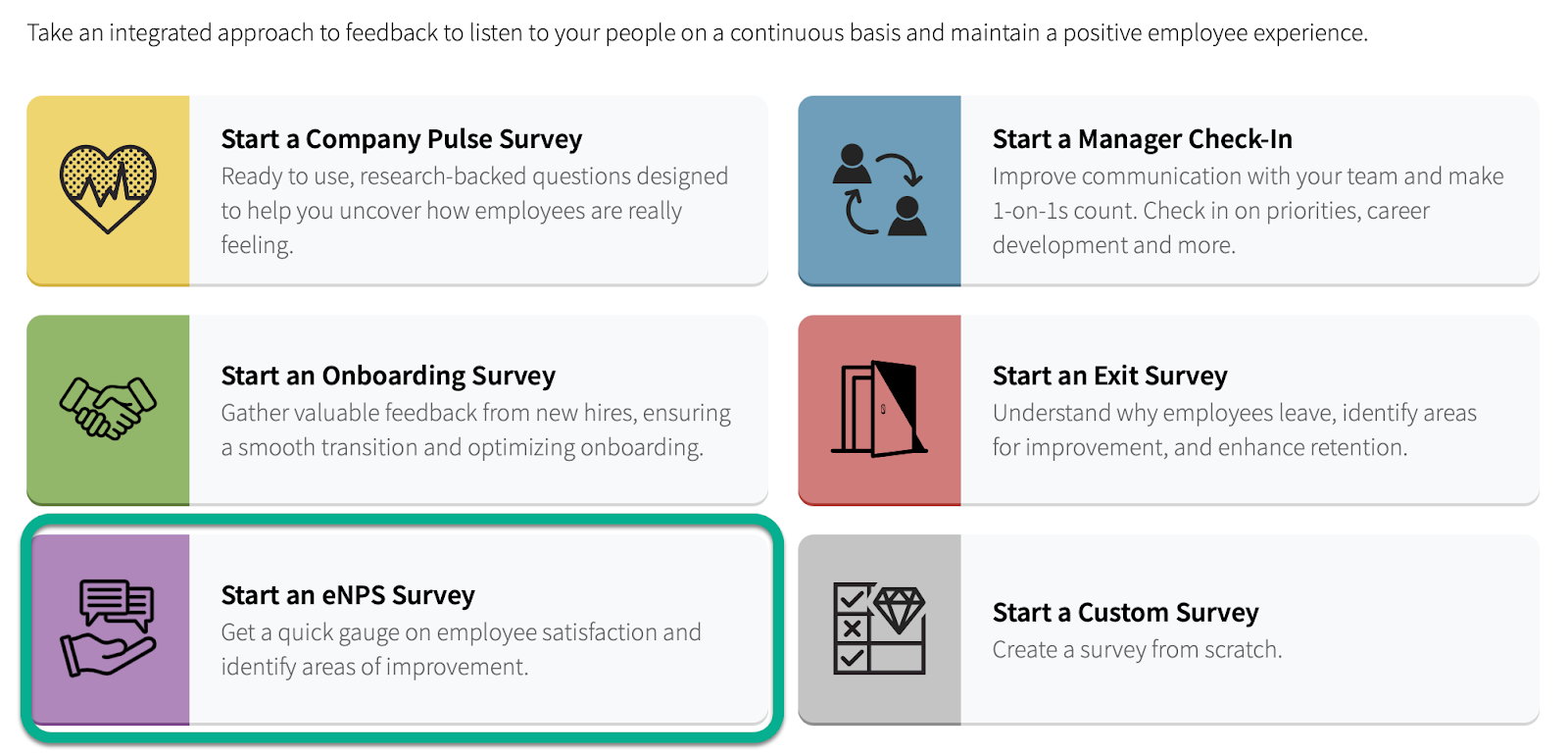
You can enroll in our eLearning course for additional guidance, or continue reading to learn how the eNPS survey works in Trakstar Perform.
Enroll in our eLearning course
What Is the eNPS Survey?
The Employee Net Promoter Score (eNPS) survey measures how likely employees are to recommend your organization as a great place to work.
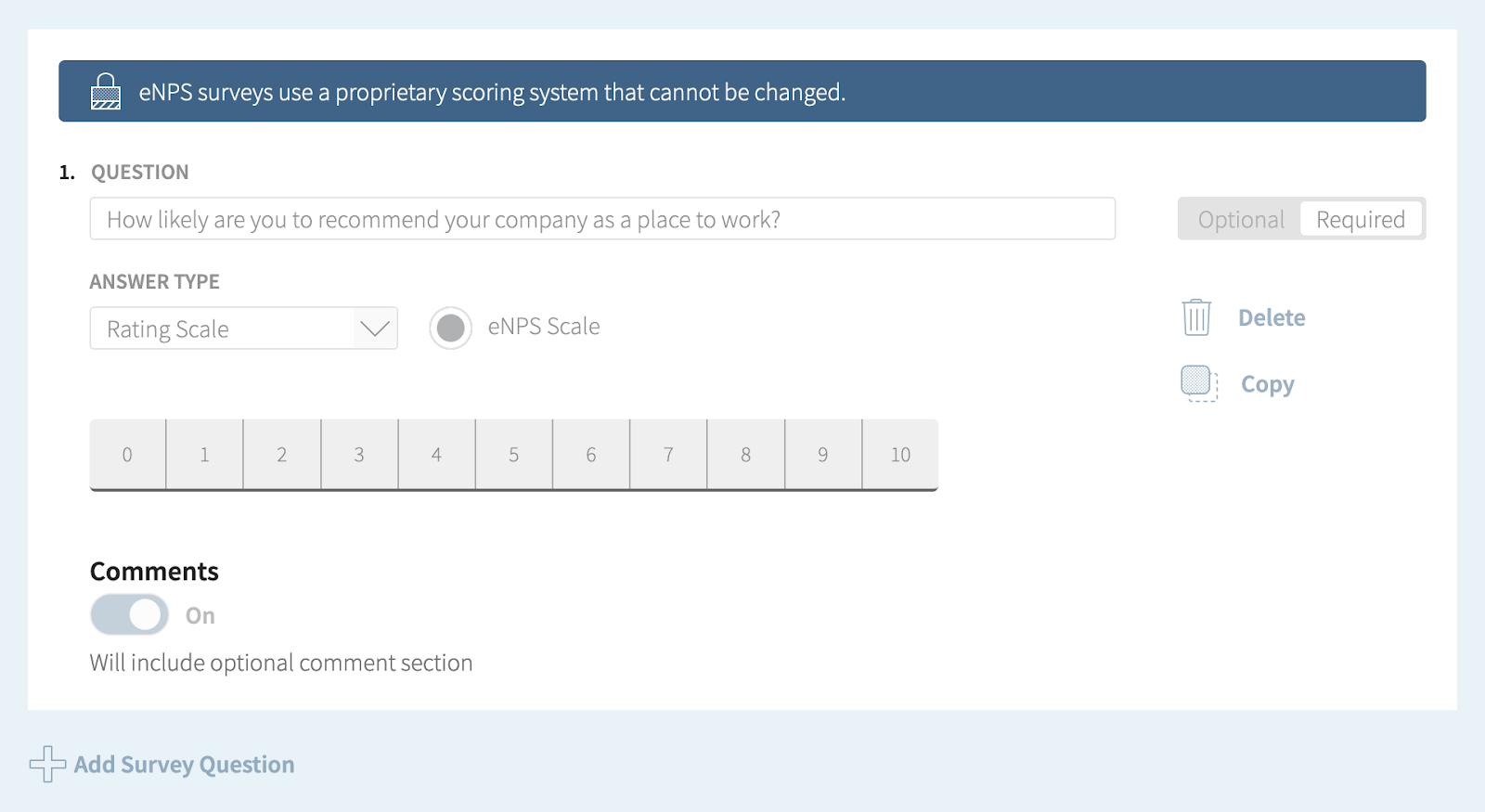
The survey consists of a single standardized question:
"How likely are you to recommend your company as a workplace?"
Employees respond using a 0–10 rating scale, providing a simple but effective way to measure overall employee sentiment.
Because every organization using the eNPS survey receives the same question and rating scale, results can be compared against other organizations that also use the eNPS methodology.
Why the Survey Question Cannot Be Edited
When creating an eNPS survey in Perform, the survey question and rating scale are not editable.
This preserves the standardized methodology originally developed by Bain & Company, ensuring consistency across organizations and allowing for more meaningful benchmarking and reporting.
Default Survey Settings
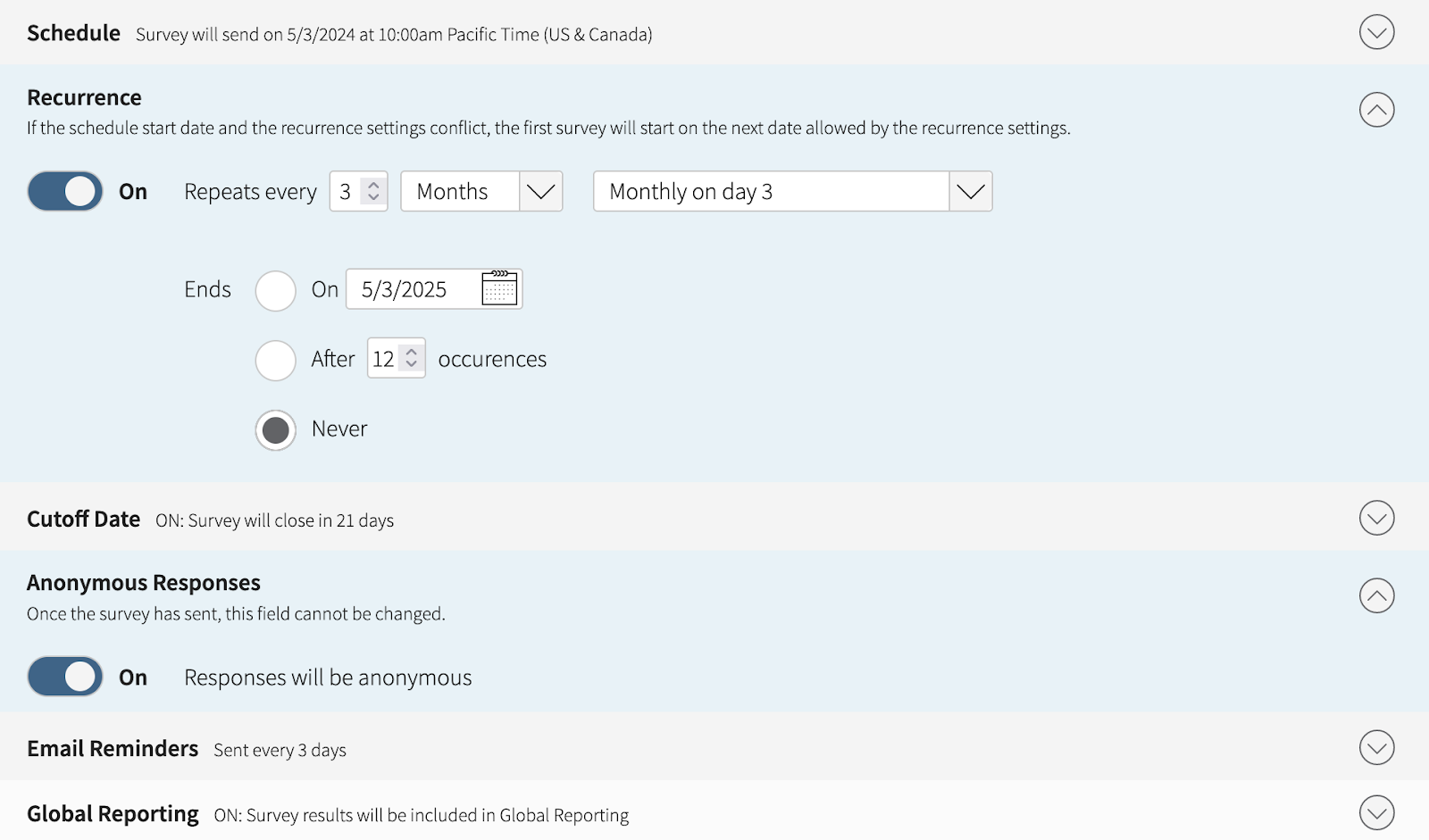
When you create an eNPS survey, the following settings are enabled by default:
- Quarterly recurrence
- Anonymous responses
While these settings can be modified, they are recommended because:
- Anonymous responses encourage honest employee feedback.
- Quarterly surveys make it easy to identify engagement trends throughout the year without creating survey fatigue.
Reporting
Survey-level reporting is available after an eNPS survey has been distributed.
Expanded Engagement Reporting Dashboards with additional eNPS reporting capabilities are currently in development and will be available in a future release.
Benefits of Using the eNPS Survey
Regularly measuring employee sentiment can help your organization:
- Track employee satisfaction and engagement
- Monitor how likely employees are to recommend your organization as a workplace.
- Identify opportunities for improvement
- Discover areas where additional support, resources, or organizational changes may improve the employee experience.
- Support strategic planning
- Use employee feedback to prioritize initiatives that strengthen leadership, improve workplace culture, and encourage employee growth.
- Measure the impact of organizational initiatives
- Compare eNPS results over time to evaluate whether changes are improving employee satisfaction and engagement.
Best Practices for Implementing an eNPS Survey
1. Prepare and Communicate
Explain the purpose of the survey before launching it. Help employees understand why their feedback matters and how the results will be used to improve their experience.
2. Distribute the Survey
Make participation as simple as possible and encourage honest responses by maintaining respondent anonymity whenever appropriate.
3. Analyze the Results
Review overall score distribution and identify trends or patterns behind both positive and negative responses.
4. Act on Employee Feedback
Use survey insights to prioritize meaningful improvements across the organization.
After reviewing the results:
- Share key findings with employees.
- Communicate planned actions.
- Follow through on improvement initiatives.
Closing the feedback loop helps build trust and demonstrates that employee feedback leads to meaningful change.
Summary
The eNPS survey provides a simple, standardized way to measure employee satisfaction and engagement. By regularly collecting feedback, analyzing results, and acting on employee input, organizations can create a more positive workplace culture and make informed decisions that support long-term employee engagement and organizational success.
Need Additional Help?
If you have questions about creating or using eNPS surveys, contact perform@trakstar.com. We're happy to help!