
Comment Controls
Comment Controls allow administrators to configure how comments are used within Review Templates. You can determine whether comments are optional, required, or disabled, while also allowing Sections and review elements to inherit settings from their parent container.
These controls help organizations enforce consistent review documentation while providing flexibility where needed.
⚙️ Comment Settings
Each supported element can be configured with one of the following comment settings:
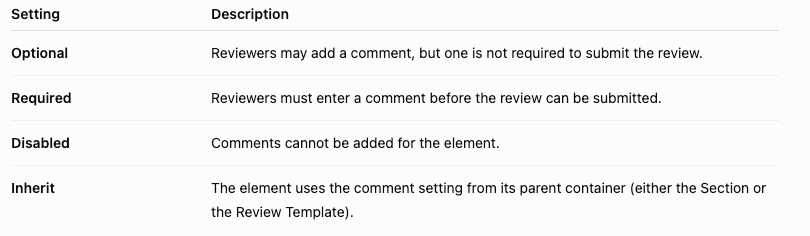
🧩 Where Comment Controls Apply
🗂️ Review Templates and Sections
Both Review Templates and Sections act as containers for review elements, such as Competencies and Goals.
Elements can be organized in two ways:
- Directly within a Review Template
- Inside a Section within a Review Template
🎯 Competencies
Competencies can be placed:
- Directly in a Review Template
- Inside a Section
When a Competency is configured to Inherit, it uses the comment setting from its parent container.
Goals
Goals can only be added to Sections.
Because of this, Goals always inherit the comment setting configured for their Section and cannot have an independent comment setting.
🧬 How Comment Inheritance Works
When a Competency or Goal is set to Inherit, it automatically uses the comment setting defined by its parent container.
Example
A Review Template has its comment setting configured as Optional.
Two Competencies are added:
- Competency A is set to Required.
- Competency B is set to Inherit.
Result:
- Competency A requires a comment before submission.
- Competency B inherits the Review Template setting, making comments optional.
Inherited settings can always be overridden where independent configuration is available.
🛠️ Where to Configure Comment Controls
⚠️Note: Comment settings can only be configured from within the Review Template editor.
Comment settings cannot be edited from:
- Forms > Sections
- Forms > Competencies
Limiting configuration to the Review Template editor helps prevent conflicting settings across nested elements.
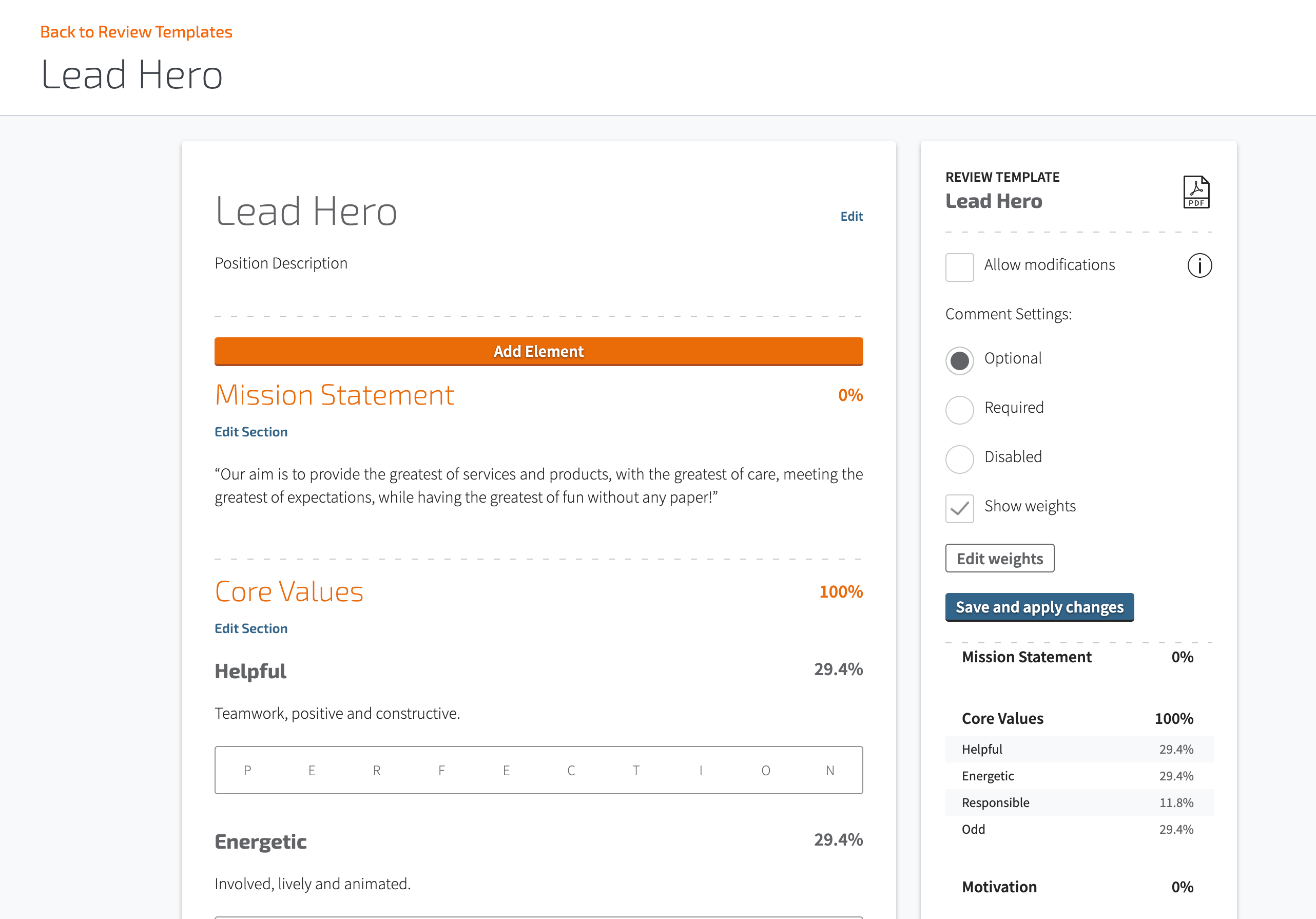
📝 On a Review Template
Configure Review Template comment settings from the right-hand panel within the Review Template editor.
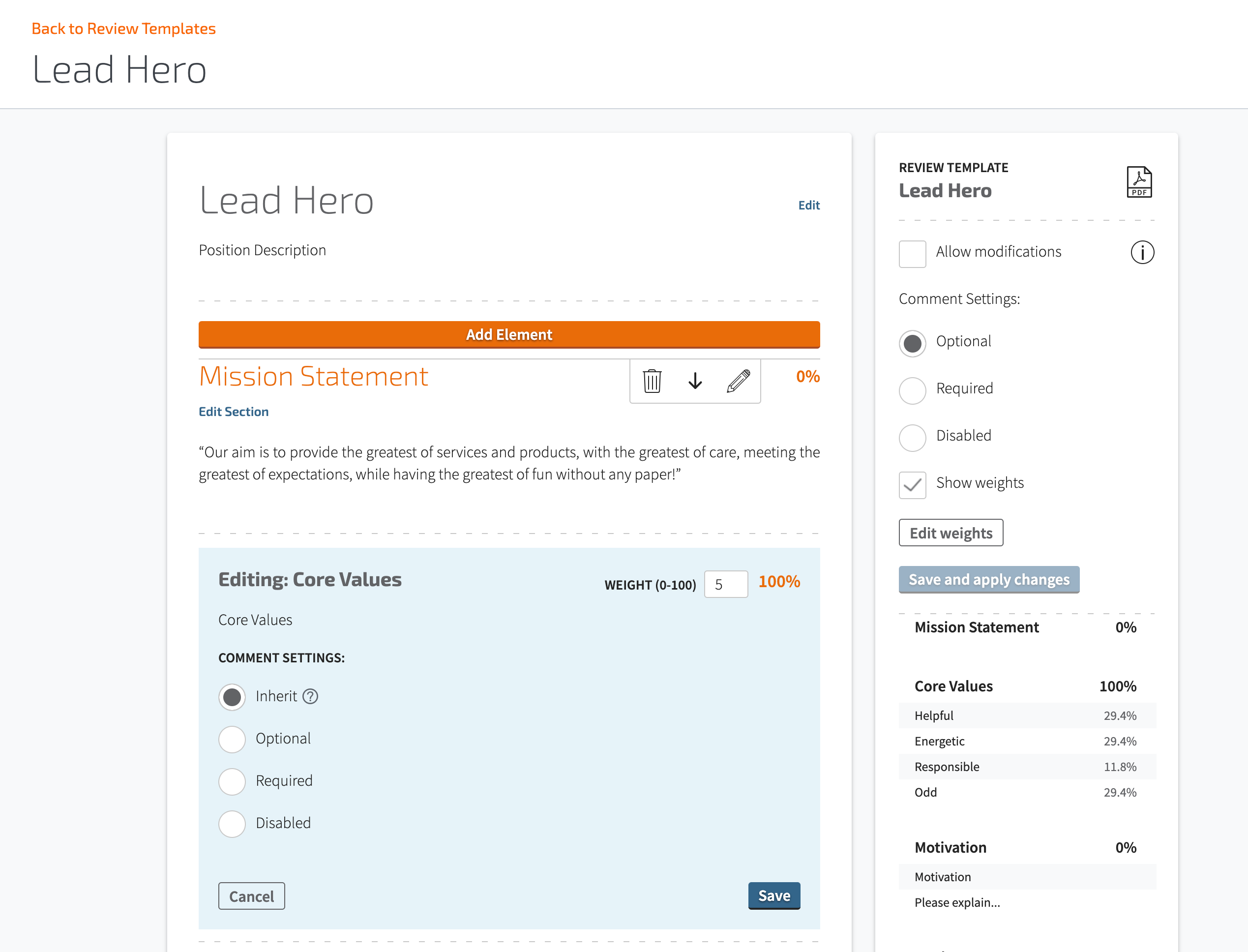
🧾 On a Section
Configure Section comment settings from the Section edit menu within the Review Template.
Sections inherit their default behavior from the Review Template unless configured otherwise.
📘 On a Competency
Competencies can be configured individually only when they are placed directly within a Review Template.
Their comment settings are available from the Competency edit menu.

Competencies placed inside a Section inherit the Section's comment setting and do not have their own configurable comment controls.
🎯 On a Goal
Goals must always be placed within a Section.
Because they inherit the Section's configuration, Goals do not have their own comment setting.
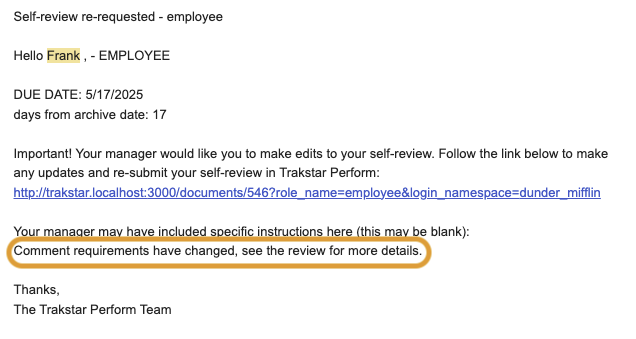
🔁 Changing Comment Settings After Reviews Have Been Scored
If you update a Review Template's comment settings and the changes affect a review that has already been scored:
- The review is returned to the Scoring step.
- A notification is sent through Perform using your organization's configured notification channels, such as:
- Slack
- Microsoft Teams
This ensures reviewers are notified that additional action may be required before the review can continue.
📣 Cascading Behavior
Comment Controls work alongside existing cascading functionality.
If a cascaded template change causes a review to move out of the Scoring step, the same notification process is triggered using your organization's configured notification channels.
Comment Control Reference
| Element Type | Editable Comment Settings? | Where to Edit | Inherits From |
|---|---|---|---|
| Review Template | ✅ | Right panel | — |
| Section | ✅ | Edit menu (inside template) | Review Template |
| Competency (in Template) | ✅ | Edit menu | — |
| Competency (in Section) | ❌ | N/A | Section |
| Goal | ❌ | N/A | Section |
Summary
Comment Controls provide flexible configuration options for review comments while maintaining consistency through inheritance. Administrators can require, allow, disable, or inherit comment behavior across Review Templates, Sections, and Competencies, while Goals always inherit their Section's configuration. Changes that affect active reviews automatically return impacted reviews to the Scoring step and notify reviewers through the organization's configured notification channels.